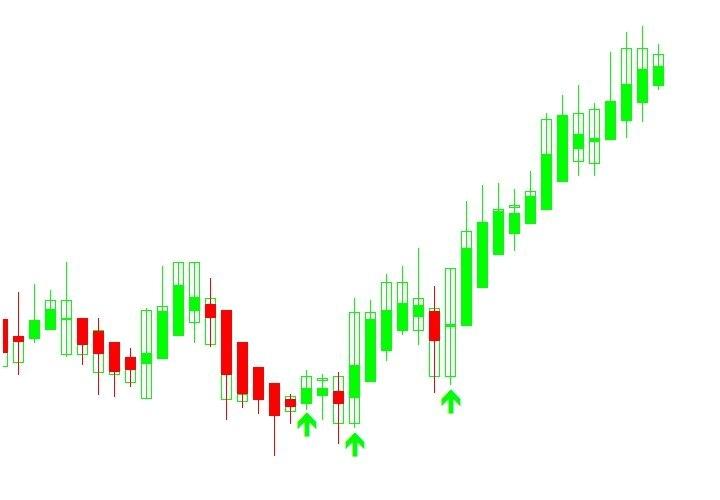
SHK Professional Heikin Ashi 1.00
IndicatorSign in to download
One-tap sign-in with Telegram, no email or password. After signing in we bring you back to this page.
Sign in with Telegram and downloadDescription from the Telegram post
Text by the author of the post where we found the file. Profit figures and promises in it are the words of the seller or the channel; we have not verified them.
🌐 Quantum Queen MT5 4.4 👑
👉 More about this EA: https://www.mql5.com/ru/market/product/185687
📊 Live monitoring: https://www.mql5.com/en/signals/2234595
⭐️ Quantum Queen is the flagship expert advisor of the Quantum ecosystem — the highest-rated and best-selling gold (GOLD) EA in MQL5 history. Verified track record of over 20 months of live trading.
💎 Key features:
✅ 6 built-in advanced strategies, each designed for different market conditions and working as one synchronized mechanism — when one strategy pauses, another activates, ensuring continuous adaptability
✅ Elite trend-following grid system that doesn't chase noise — it captures structured momentum and scales into positions with purpose
✅ Logic built on more than 15 years of real trading experience — a seasoned trader's instincts combined with algorithmic discipline
✅ Quality over quantity: the EA waits patiently for the market to deliver a genuine signal before acting
🛡 Minimum requirements and recommendations:
✅ Broker with an ECN/RAW account type and tight spreads
✅ Gold (GOLD) quoted to 2 decimal places. Quantum Queen is not compatible with brokers that offer 3 decimal places for GOLD
✅ Minimum deposit: $500 with 1:500 leverage
✅ Recommended deposit: $1000 with 1:500 leverage
✅ Minimum leverage 1:100, recommended 1:500
✅ Account type: Hedging
⚙️ Next generation — Quantum Queen X MT5:
An evolution of the legend. Quantum Queen X is built on the same proven engine but adds a powerful user mode: traders can choose which strategies to enable or disable. Each strategy has been individually tested and optimized. The default settings now combine 9 carefully selected strategies instead of 7, delivering broader market coverage and more opportunities — while preserving the same disciplined trading philosophy.
Where this file comes from
We are not the developers of this expert advisor. The file was found in open access — in public Telegram channels where it was shared for free — and added to the catalog together with its description. All rights to the program belong to its author; if the expert advisor has a page in the MQL5 Market, the link is in the description — support the developer by buying the official version.
Are you the copyright holder and want the file removed? Contact us — we remove it on the first request.
Скриншоты (5)
Sign in to download
One-tap sign-in with Telegram, no email or password. After signing in we bring you back to this page.
Sign in with Telegram and downloadShare:
How to use
1.Download the file
2.Open MetaTrader 4 or MetaTrader 5
3.Put .ex4/.ex5 files into the MQL4/Experts or MQL5/Experts
4.Restart the terminal and the file will appear in the Navigator
Frequently asked questions
How do I install an expert advisor in MetaTrader?
1. Download the expert advisor file (.ex4 or .ex5)
2. Open MetaTrader and go to File → Open Data Folder
3. Go to MQL4/Experts (for MT4) or MQL5/Experts (for MT5)
4. Copy the expert advisor file into that folder
5. Restart MetaTrader
6. The expert advisor will appear in Navigator → Expert Advisors
Why is the expert advisor not trading?
Check the following:
• The "Algo Trading" button is enabled (green)
• Trading is allowed in the expert advisor settings
• The terminal is connected to the broker server
• There are enough funds on the account
• The right symbol and timeframe are selected
Can I use it on a live account?
We recommend testing the expert advisor first:
1. In the strategy tester on historical data
2. On a demo account in real time for at least 1–2 weeks
3. Move to a live account only after successful tests
⚠️ Forex trading involves a risk of losing capital
The file does not open or shows an error
Possible reasons:
• .ex4 files are for MT4 only, .ex5 files are for MT5 only
• The file was damaged while downloading — try downloading it again
• MetaTrader is outdated — update the terminal
• If the file is in an archive (.zip, .rar), unpack it first
Загрузка отзывов...