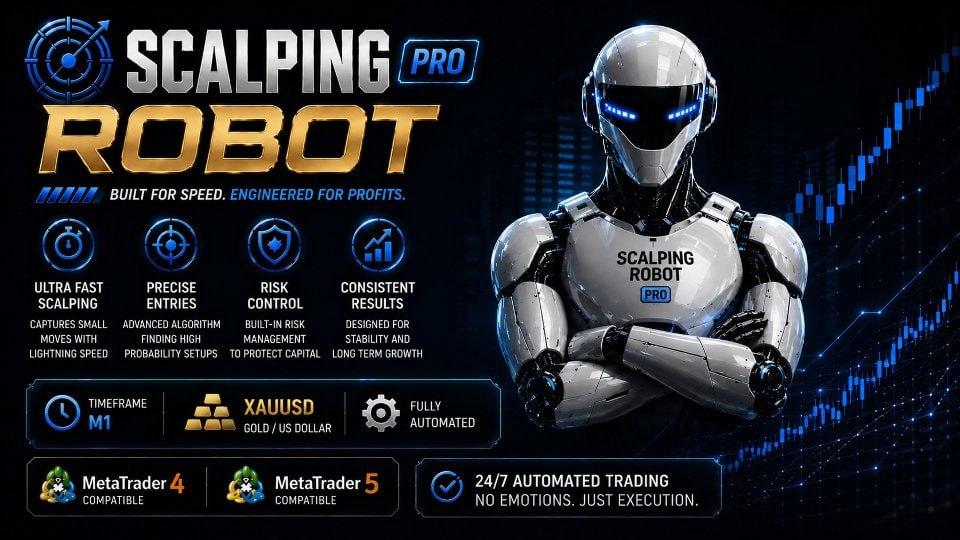
Shatter MT5
Sign in to download
One-tap sign-in with Telegram, no email or password. After signing in we bring you back to this page.
Sign in with Telegram and downloadWhat you need to run it
- A broker account. We test every expert advisor in our monitoring on RoboForex — you can start with a free demo account. Open a RoboForex account. RoboForex also gives a free VPS with a balance from $300 and 3 lots traded per month.
- A VPS for the terminal. An expert advisor only trades while MetaTrader is open: with your computer off, trades are neither opened nor managed. A Forex VPS to keep the terminal running 24/7
These are partner links: if you open an account or order a VPS through them, we earn a commission.
Description and specifications
Information about the expert advisor and its source. Results claimed by authors, sellers or channels are not treated as verified by TradEApro; our own checks and their limitations are identified separately.
🌐 Shatter MT5 Expert Advisor 👑
👉 More about the EA: https://www.mql5.com/ru/market/product/211317
👉 English Market page: https://www.mql5.com/en/market/product/211317
📊 Live monitoring: https://www.mql5.com/en/signals/2401041
📊 Live monitoring: https://www.mql5.com/en/signals/2400095
⭐️ Shatter MT5 is a fully automated expert advisor for trading gold (XAUUSD) that combines 11 independent strategies, including breakout trading and scalping. The system combines trading signal validation, dynamic profit management, and configurable risk and drawdown limits.
💎 Strategies and features:
✅ 11 independent strategies for different market structures and timeframes. Each has its own entry logic and position management mechanism.
✅ Each strategy can be enabled or disabled individually to adapt the EA to your trading goals and risk tolerance.
✅ Trades without a grid, martingale, position averaging, or lot size increases to recover losses.
✅ Trades are opened when predefined entry conditions are met and managed using protective exit rules.
✅ Dynamic profit protection aims to preserve accumulated gains while allowing continued management of profitable positions.
🛡 Capital protection and drawdown control:
✅ Stop loss (SL) and a dynamic trailing stop.
✅ Virtual profit protection and locking in profits in stages.
✅ Protection during periods of heightened volatility.
✅ Daily loss and max drawdown limits.
✅ Controls on the volume of open positions and overall trading exposure.
✅ Economic news filters, protection against elevated spreads, and weekend risk protection.
⚙️ Signal processing:
✅ Standard execution.
✅ Strict signal validation.
✅ Flexible signal validation.
These modes let you adjust the balance between how strictly signals are filtered and how frequently the EA trades.
💎 Position sizing:
✅ All 11 strategies use a single centralized lot size calculation system, so there is no need to configure position sizes for each strategy separately.
✅ Two modes are available: fixed lot size and lot size calculated based on the account balance.
✅ In the mode based on account balance, trading volume can increase as the balance grows, allowing gains to be reinvested.
🛡 Features for prop firm accounts:
✅ Protection against exceeding daily loss and maximum overall drawdown limits.
✅ Profit target management.
✅ Configurable protective buffers that take effect before the specified limits are reached.
✅ Protection based on account balance and equity.
✅ Automatic trading suspension when specified limits are reached.
⚙️ Recommended conditions and setup:
✅ Platform: MetaTrader 5.
✅ Instrument: XAUUSD — gold.
✅ Timeframe: any.
✅ Minimum deposit: 100 USD.
✅ Account type: hedging.
✅ Recommended account: RAW or ECN.
✅ Trading mode: fully automated.
✅ A broker with low spreads is recommended for trade execution.
✅ In the settings, you can select active strategies, the signal validation mode, the lot size calculation method, and capital protection parameters.
Where this file comes from
We are not the developers of this expert advisor. Catalog files come from public sources, including Telegram channels and developers’ official repositories. See the description for this file’s source and redistribution terms. All rights to the program remain with its author.
Are you the copyright holder and want the file removed? Contact us — we remove it on the first request.
Screenshots (4)
Sign in to download
One-tap sign-in with Telegram, no email or password. After signing in we bring you back to this page.
Sign in with Telegram and downloadWhat you need to run it
- A broker account. We test every expert advisor in our monitoring on RoboForex — you can start with a free demo account. Open a RoboForex account. RoboForex also gives a free VPS with a balance from $300 and 3 lots traded per month.
- A VPS for the terminal. An expert advisor only trades while MetaTrader is open: with your computer off, trades are neither opened nor managed. A Forex VPS to keep the terminal running 24/7
These are partner links: if you open an account or order a VPS through them, we earn a commission.
Share:
How to use
1.Download the file
2.Open MetaTrader 4 or MetaTrader 5
3.Put .ex4/.ex5 files into the MQL4/Experts or MQL5/Experts
4.Restart the terminal and the file will appear in the Navigator
Frequently asked questions
How do I install an expert advisor in MetaTrader?
1. Download the expert advisor file (.ex4 or .ex5)
2. Open MetaTrader and go to File → Open Data Folder
3. Go to MQL4/Experts (for MT4) or MQL5/Experts (for MT5)
4. Copy the expert advisor file into that folder
5. Restart MetaTrader
6. The expert advisor will appear in Navigator → Expert Advisors
Why is the expert advisor not trading?
Check the following:
• The "Algo Trading" button is enabled (green)
• Trading is allowed in the expert advisor settings
• The terminal is connected to the broker server
• There are enough funds on the account
• The right symbol and timeframe are selected
Can I use it on a live account?
We recommend testing the expert advisor first:
1. In the strategy tester on historical data
2. On a demo account in real time for at least 1–2 weeks
3. Move to a live account only after successful tests
⚠️ Forex trading involves a risk of losing capital
The file does not open or shows an error
Possible reasons:
• .ex4 files are for MT4 only, .ex5 files are for MT5 only
• The file was damaged while downloading — try downloading it again
• MetaTrader is outdated — update the terminal
• If the file is in an archive (.zip, .rar), unpack it first
Loading reviews...