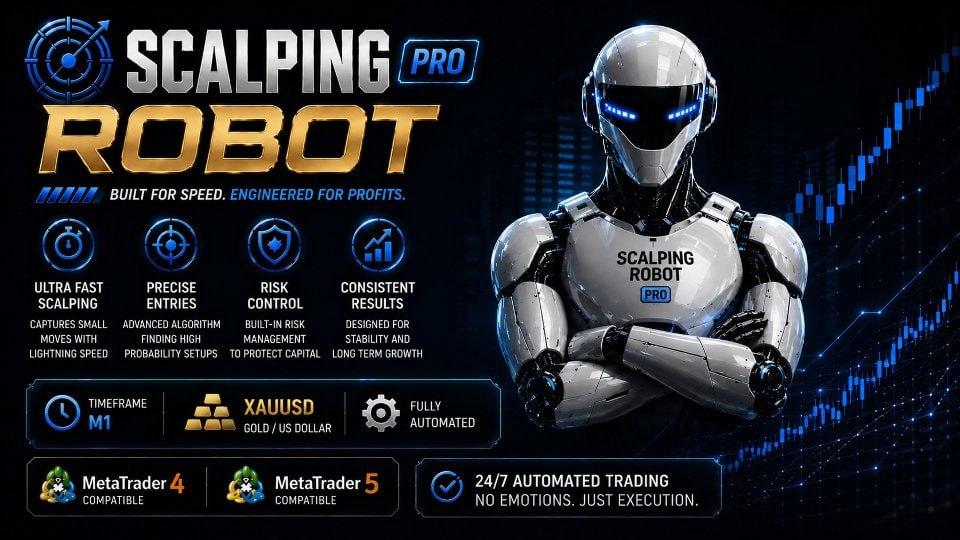
Prototype AI MT5 v1.3
Sign in to download
One-tap sign-in with Telegram, no email or password. After signing in we bring you back to this page.
Sign in with Telegram and downloadWhat you need to run it
- A broker account. We test every expert advisor in our monitoring on RoboForex — you can start with a free demo account. Open a RoboForex account. RoboForex also gives a free VPS with a balance from $300 and 3 lots traded per month.
- A VPS for the terminal. An expert advisor only trades while MetaTrader is open: with your computer off, trades are neither opened nor managed. A Forex VPS to keep the terminal running 24/7
These are partner links: if you open an account or order a VPS through them, we earn a commission.
Description and specifications
Information about the expert advisor and its source. Results claimed by authors, sellers or channels are not treated as verified by TradEApro; our own checks and their limitations are identified separately.
🌐 Prototype AI MT5 V1.3 Expert Advisor 👑
👉 More about the EA: https://www.mql5.com/ru/market/product/175018
👉 English Market page: https://www.mql5.com/en/market/product/175018
⭐️ Prototype AI is an automated expert advisor for MetaTrader 5, designed to trade gold (XAUUSD) using artificial intelligence and adaptive market analysis. The algorithm assesses current market conditions and automatically adjusts its entry and trade management logic.
💎 Key features:
✅ Optimized for trading XAUUSD.
✅ Artificial intelligence for market structure analysis.
✅ Adapts to trending and ranging markets, as well as changes in volatility.
✅ Intelligent filtering of market noise.
✅ Automatic trade entry and management.
✅ Built-in risk control and money management.
✅ High-speed processing of data and trading signals.
✅ Fully automated operation with minimal user intervention.
⚙️ How it works:
The EA analyzes price behavior, market momentum, liquidity dynamics and changes in the gold market's structure in real time. The system considers several parameters simultaneously, adapting trading decisions to current conditions.
✅ Momentum strength assessment and volatility analysis.
✅ Market phase recognition.
✅ Adaptive entry filters.
✅ Dynamic trade management.
The approach is based on flexible processing of market data rather than fixed patterns and simple rules based on individual indicators. According to the developer's description, this filtering helps reduce false signals.
💎 Use cases:
The EA is intended for both experienced traders and users looking to automate gold trading. It can be used for standalone automated trading, as part of a diversified portfolio and as part of a long-term, systematic approach to trading.
🛡 Setup and risk recommendations:
✅ Recommended instrument: XAUUSD.
✅ Testing on a demo account is recommended before using the EA on a live account.
✅ Risk settings should be tailored to your deposit size and trading style.
Where this file comes from
We are not the developers of this expert advisor. Catalog files come from public sources, including Telegram channels and developers’ official repositories. See the description for this file’s source and redistribution terms. All rights to the program remain with its author.
Are you the copyright holder and want the file removed? Contact us — we remove it on the first request.
Screenshots (3)
Sign in to download
One-tap sign-in with Telegram, no email or password. After signing in we bring you back to this page.
Sign in with Telegram and downloadWhat you need to run it
- A broker account. We test every expert advisor in our monitoring on RoboForex — you can start with a free demo account. Open a RoboForex account. RoboForex also gives a free VPS with a balance from $300 and 3 lots traded per month.
- A VPS for the terminal. An expert advisor only trades while MetaTrader is open: with your computer off, trades are neither opened nor managed. A Forex VPS to keep the terminal running 24/7
These are partner links: if you open an account or order a VPS through them, we earn a commission.
Share:
How to use
1.Download the file
2.Open MetaTrader 4 or MetaTrader 5
3.Put .ex4/.ex5 files into the MQL4/Experts or MQL5/Experts
4.Restart the terminal and the file will appear in the Navigator
Frequently asked questions
How do I install an expert advisor in MetaTrader?
1. Download the expert advisor file (.ex4 or .ex5)
2. Open MetaTrader and go to File → Open Data Folder
3. Go to MQL4/Experts (for MT4) or MQL5/Experts (for MT5)
4. Copy the expert advisor file into that folder
5. Restart MetaTrader
6. The expert advisor will appear in Navigator → Expert Advisors
Why is the expert advisor not trading?
Check the following:
• The "Algo Trading" button is enabled (green)
• Trading is allowed in the expert advisor settings
• The terminal is connected to the broker server
• There are enough funds on the account
• The right symbol and timeframe are selected
Can I use it on a live account?
We recommend testing the expert advisor first:
1. In the strategy tester on historical data
2. On a demo account in real time for at least 1–2 weeks
3. Move to a live account only after successful tests
⚠️ Forex trading involves a risk of losing capital
The file does not open or shows an error
Possible reasons:
• .ex4 files are for MT4 only, .ex5 files are for MT5 only
• The file was damaged while downloading — try downloading it again
• MetaTrader is outdated — update the terminal
• If the file is in an archive (.zip, .rar), unpack it first
Loading reviews...