Market Reversal Alerts fixed
IndicatorSign in to download
One-tap sign-in with Telegram, no email or password. After signing in we bring you back to this page.
Sign in with Telegram and downloadDescription and specifications
Information about the expert advisor and its source. Results claimed by authors, sellers or channels are not treated as verified by TradEApro; our own checks and their limitations are identified separately.
🌐 Market Reversal Alerts MT4 V5.1 1421+ Expert Advisor 👑
👉 Market page: https://www.mql5.com/ru/market/product/46295
👉 Page linked in the original post: https://www.mql5.com/en/market/product/46295
📝 User guide: https://www.mql5.com/en/blogs/post/745502
🎞 Video review: https://www.youtube.com/watch?v=sm1UC7ITb7I
⭐️ Market Reversal Alerts is an indicator for MetaTrader 4 that identifies potential changes in market structure as price movement approaches exhaustion. Its signals help traders spot the possible start of a trend reversal or a significant pullback.
⚙️ How the indicator works:
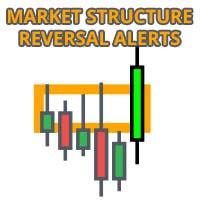
The indicator tracks breakouts and price momentum as a new high or low forms near a potential exhaustion point. It draws a rectangle on the last candle of the opposite color, then moves it with price while the current short-term trend continues.
When the move weakens and price closes beyond the relevant boundary of the rectangle—above or below it—the indicator issues an alert about a potential change in market structure. This signal may precede a trend reversal or a major pullback.
💎 Key features:
✅ Alerts about potential changes in market structure at key exhaustion points.
✅ Automatically marks short-term market structure as price approaches exhaustion levels.
✅ Moves signal rectangles with price in the direction of the current trend to help identify more precise entry points.
✅ When a signal appears, the rectangle changes color and is filled with a solid color, marking an area where market structure may reverse.
✅ Works on all instruments and timeframes.
✅ Built-in pop-up, push notification and email alerts.
✅ Alerts when price retests a reversal signal area, providing additional confirmation for a potential entry.
✅ Displays reversal rectangles from a higher timeframe on a lower-timeframe chart to help assess the higher-timeframe trend direction and trade with the trend.
✅ Choose all reversal signals or only buy or sell signals based on the current trend direction for each instrument.
✅ Displays an arrow on the lower timeframe indicating the predominant direction of price movement on the higher timeframe.
🛡 Platform and version:
MetaTrader 4, indicator version V5.1; the original post specifies terminal build 1421+.
Where this file comes from
We are not the developers of this expert advisor. Catalog files come from public sources, including Telegram channels and developers’ official repositories. See the description for this file’s source and redistribution terms. All rights to the program remain with its author.
Are you the copyright holder and want the file removed? Contact us — we remove it on the first request.
Screenshots (4)
Sign in to download
One-tap sign-in with Telegram, no email or password. After signing in we bring you back to this page.
Sign in with Telegram and downloadShare:
How to use
1.Download the file
2.Open MetaTrader 4 or MetaTrader 5
3.Put .ex4/.ex5 files into the MQL4/Experts or MQL5/Experts
4.Restart the terminal and the file will appear in the Navigator
Frequently asked questions
How do I install an expert advisor in MetaTrader?
1. Download the expert advisor file (.ex4 or .ex5)
2. Open MetaTrader and go to File → Open Data Folder
3. Go to MQL4/Experts (for MT4) or MQL5/Experts (for MT5)
4. Copy the expert advisor file into that folder
5. Restart MetaTrader
6. The expert advisor will appear in Navigator → Expert Advisors
Why is the expert advisor not trading?
Check the following:
• The "Algo Trading" button is enabled (green)
• Trading is allowed in the expert advisor settings
• The terminal is connected to the broker server
• There are enough funds on the account
• The right symbol and timeframe are selected
Can I use it on a live account?
We recommend testing the expert advisor first:
1. In the strategy tester on historical data
2. On a demo account in real time for at least 1–2 weeks
3. Move to a live account only after successful tests
⚠️ Forex trading involves a risk of losing capital
The file does not open or shows an error
Possible reasons:
• .ex4 files are for MT4 only, .ex5 files are for MT5 only
• The file was damaged while downloading — try downloading it again
• MetaTrader is outdated — update the terminal
• If the file is in an archive (.zip, .rar), unpack it first
Loading reviews...