Hedge fixed version
Sign in to download
One-tap sign-in with Telegram, no email or password. After signing in we bring you back to this page.
Sign in with Telegram and downloadWhat you need to run it
- A broker account. We test every expert advisor in our monitoring on RoboForex — you can start with a free demo account. Open a RoboForex account. RoboForex also gives a free VPS with a balance from $300 and 3 lots traded per month.
- A VPS for the terminal. An expert advisor only trades while MetaTrader is open: with your computer off, trades are neither opened nor managed. A Forex VPS to keep the terminal running 24/7
These are partner links: if you open an account or order a VPS through them, we earn a commission.
Description from the Telegram post
Text by the author of the post where we found the file. Profit figures and promises in it are the words of the seller or the channel; we have not verified them.
This content is currently available in Russian only.
🌐 Эксперт Dynamic Liquidity Intelligence MT5 V2.37 👑
👉 Подробнее о советнике: https://www.mql5.com/en/market/product/169976
📊 Мониторинг (Live Signal Fix 0.01): https://www.mql5.com/en/signals/2370969
📊 Мониторинг (Live Signal $2000): https://www.mql5.com/en/signals/2365514
📊 Мониторинг (Live Signal $5000): https://www.mql5.com/en/signals/2365513
📊 Мониторинг (Live Signal $10000): https://www.mql5.com/en/signals/2365511
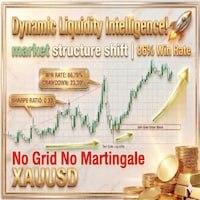
⭐️ Dynamic Liquidity Intelligence — советник, работающий на основе анализа структуры рынка: система рассчитывает локальные максимумы и минимумы в зависимости от текущей волатильности и выставляет отложенные ордера Buy Stop и Sell Stop на потенциальных уровнях пробоя. Каждая позиция управляется индивидуально — без сетки, мартингейла и усреднения.
💎 Ключевые особенности:
✅ Анализ структуры рынка — система в реальном времени отслеживает волатильность, выявляет значимые swing highs/lows и автоматически размещает отложенные ордера на уровнях пробоя.
✅ Динамическое управление рисками — уровни Take Profit и Stop Loss корректируются автоматически в зависимости от текущей волатильности; для каждой сделки поддерживается строго заданное соотношение SL/TP.
✅ Управление позициями — встроенная функция автоматического перевода в безубыток (Break-Even) и пошаговый трейлинг-стоп (Trailing Stop), активирующиеся после достижения заданных пороговых значений.
✅ Пятничный фильтр — опциональная остановка торговли перед закрытием рынка на выходные для снижения риска гэпов в понедельник.
✅ Праздничная пауза — автоматическое приостановление торговли в период новогодних праздников.
✅ Фильтры торговых сессий — советник работает только в заданные часы, соответствующие стандартным объёмам рынка.
✅ Без Grid / Martingale / усреднения — каждый ордер исполняется с заранее определёнными SL и TP.
🛡 Рекомендации по риску:
| Стиль торговли | Размер лота |
|---|---|
| Консервативный | 0.01 на каждые $1 000 баланса |
| Умеренный | 0.01 на каждые $500 баланса |
| Агрессивный | 0.01 на каждые $300 баланса |
⚙️ Требования и настройка:
✅ Инструмент: XAUUSD
✅ Таймфрейм: M15
✅ Минимальный депозит: $300
✅ Рекомендуемый депозит: $500 – $1 000
✅ Тип счёта: ECN, Raw или Razor (настоятельно рекомендуются счета с низким спредом)
✅ Кредитное плечо: минимум 1:100, рекомендуется 1:500
✅ Режим исполнения: Хеджирование (Hedging)
✅ VPS: рекомендуется для стабильной круглосуточной работы
Установка: прикрепите советник к графику M15 по XAUUSD, задайте предпочтительные параметры риска во вкладке Inputs и убедитесь, что в MetaTrader включён режим автоторговли (Auto Trading / Algo Trading).
Where this file comes from
We are not the developers of this expert advisor. The file was found in open access — in public Telegram channels where it was shared for free — and added to the catalog together with its description. All rights to the program belong to its author; if the expert advisor has a page in the MQL5 Market, the link is in the description — support the developer by buying the official version.
Are you the copyright holder and want the file removed? Contact us — we remove it on the first request.
Скриншоты (3)
Sign in to download
One-tap sign-in with Telegram, no email or password. After signing in we bring you back to this page.
Sign in with Telegram and downloadWhat you need to run it
- A broker account. We test every expert advisor in our monitoring on RoboForex — you can start with a free demo account. Open a RoboForex account. RoboForex also gives a free VPS with a balance from $300 and 3 lots traded per month.
- A VPS for the terminal. An expert advisor only trades while MetaTrader is open: with your computer off, trades are neither opened nor managed. A Forex VPS to keep the terminal running 24/7
These are partner links: if you open an account or order a VPS through them, we earn a commission.
Share:
How to use
1.Download the file
2.Open MetaTrader 4 or MetaTrader 5
3.Put .ex4/.ex5 files into the MQL4/Experts or MQL5/Experts
4.Restart the terminal and the file will appear in the Navigator
Frequently asked questions
How do I install an expert advisor in MetaTrader?
1. Download the expert advisor file (.ex4 or .ex5)
2. Open MetaTrader and go to File → Open Data Folder
3. Go to MQL4/Experts (for MT4) or MQL5/Experts (for MT5)
4. Copy the expert advisor file into that folder
5. Restart MetaTrader
6. The expert advisor will appear in Navigator → Expert Advisors
Why is the expert advisor not trading?
Check the following:
• The "Algo Trading" button is enabled (green)
• Trading is allowed in the expert advisor settings
• The terminal is connected to the broker server
• There are enough funds on the account
• The right symbol and timeframe are selected
Can I use it on a live account?
We recommend testing the expert advisor first:
1. In the strategy tester on historical data
2. On a demo account in real time for at least 1–2 weeks
3. Move to a live account only after successful tests
⚠️ Forex trading involves a risk of losing capital
The file does not open or shows an error
Possible reasons:
• .ex4 files are for MT4 only, .ex5 files are for MT5 only
• The file was damaged while downloading — try downloading it again
• MetaTrader is outdated — update the terminal
• If the file is in an archive (.zip, .rar), unpack it first
Загрузка отзывов...