CONSOLIDATION ZONE
Sign in to download
One-tap sign-in with Telegram, no email or password. After signing in we bring you back to this page.
Sign in with Telegram and downloadWhat you need to run it
- A broker account. We test every expert advisor in our monitoring on RoboForex — you can start with a free demo account. Open a RoboForex account. RoboForex also gives a free VPS with a balance from $300 and 3 lots traded per month.
- A VPS for the terminal. An expert advisor only trades while MetaTrader is open: with your computer off, trades are neither opened nor managed. A Forex VPS to keep the terminal running 24/7
These are partner links: if you open an account or order a VPS through them, we earn a commission.
Description from the Telegram post
Text by the author of the post where we found the file. Profit figures and promises in it are the words of the seller or the channel; we have not verified them.
This content is currently available in Russian only.
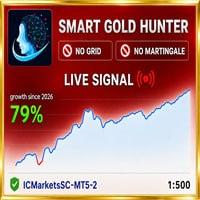
🌐 Эксперт Smart Gold Hunter MT5 V3.5 👑
👉 Подробнее о советнике: https://www.mql5.com/ru/market/product/170050
📊 Мониторинг: https://www.mql5.com/en/signals/2365400
⭐️ Smart Gold Hunter — это Expert Advisor для торговли золотом (XAUUSD) на MetaTrader 5, разработанный для трейдеров, которые предпочитают контролируемый риск без сетки, мартингейла и опасного усреднения. Стратегия основана на одиночных входах с реальными Stop Loss и Take Profit, строгим управлением рисками и защитными фильтрами.
💎 Ключевые особенности:
✅ Без сетки (No Grid)
✅ Без мартингейла (No Martingale)
✅ Без восстановления (No Recovery)
✅ Без хеджирования (No Hedging)
✅ Одиночный вход с реальным Stop Loss
✅ Реальная логика Stop Loss и Take Profit
✅ Строгий контроль рисков
✅ Дневная цель по прибыли
✅ Дневной лимит убытков
✅ Защита капитала (Equity Protection)
✅ Фильтр важных новостей (High-Impact News Filter)
✅ Защита от спреда
✅ Защита при закрытии рынка в конце дня
✅ Защита при закрытии в пятницу
✅ Информационная панель в реальном времени
🛡 Торговые профили:
Советник включает готовые профили для разных стилей торговли:
✅ Striker (по умолчанию) — избирательные входы с контролируемым управлением сделками
✅ Ultimate Scalper — быстрая скальперская торговля с опциями Break Even, скрытием начального SL, расчётом SL от фактической цены исполнения и рандомизацией входа
✅ Swinger — более широкое управление сделками с потенциалом длительного удержания позиций
✅ Prop Scalper — профиль для торговли на счетах проп-фирм с контролируемым поведением
✅ PRR Scalping — сетапы с положительным соотношением риска к прибыли (Positive Risk-to-Reward)
✅ Custom Mode — для продвинутых пользователей с возможностью ручной настройки TP, SL, trailing, пауз и параметров входа
⚙️ Технические требования и настройка:
✅ Инструмент: XAUUSD / Gold (или символы брокера: XAUUSDm, GOLD и т.п.)
✅ Платформа: MetaTrader 5
✅ Таймфрейм графика: любой (важнее выбранный профиль и настройки EA)
✅ Брокер: рекомендуются ECN-счета с низким спредом, низкими комиссиями, быстрым исполнением и стабильными условиями
✅ VPS: настоятельно рекомендуется для стабильного исполнения, особенно на реальных счетах и счетах проп-фирм
✅ Версия: V3.5 (не требует DLL)
✅ В комплект входят 3 пресета и руководство от автора
📝 Важные замечания:
Советник НЕ зависит от неограниченных recovery-позиций или умножения лота после убытков. Главная идея — торговать золотом с контролируемой логикой, защитными настройками и реальным управлением сделками вместо опасного усреднения.
Условия брокера критически важны для торговли золотом. Бэктестинг помогает понять поведение EA, но реальные результаты могут отличаться из-за спреда, слиппеджа, комиссий, скорости исполнения, ликвидности и качества VPS. Разница может быть более заметной для быстрых профилей (Ultimate Scalper, Prop Scalper).
Функции защиты могут быть полезны для контроля рисков и торговли в стиле проп-фирм, но у каждой проп-фирмы свои правила — обязательно проверяйте условия вашей проп-фирмы перед использованием EA.
Внимательно прочитайте руководство пользователя перед использованием. Золото — волатильный инструмент, и в торговле нет гарантий.
Where this file comes from
We are not the developers of this expert advisor. The file was found in open access — in public Telegram channels where it was shared for free — and added to the catalog together with its description. All rights to the program belong to its author; if the expert advisor has a page in the MQL5 Market, the link is in the description — support the developer by buying the official version.
Are you the copyright holder and want the file removed? Contact us — we remove it on the first request.
Скриншоты (6)
Sign in to download
One-tap sign-in with Telegram, no email or password. After signing in we bring you back to this page.
Sign in with Telegram and downloadWhat you need to run it
- A broker account. We test every expert advisor in our monitoring on RoboForex — you can start with a free demo account. Open a RoboForex account. RoboForex also gives a free VPS with a balance from $300 and 3 lots traded per month.
- A VPS for the terminal. An expert advisor only trades while MetaTrader is open: with your computer off, trades are neither opened nor managed. A Forex VPS to keep the terminal running 24/7
These are partner links: if you open an account or order a VPS through them, we earn a commission.
Share:
How to use
1.Download the file
2.Open MetaTrader 4 or MetaTrader 5
3.Put .ex4/.ex5 files into the MQL4/Experts or MQL5/Experts
4.Restart the terminal and the file will appear in the Navigator
Frequently asked questions
How do I install an expert advisor in MetaTrader?
1. Download the expert advisor file (.ex4 or .ex5)
2. Open MetaTrader and go to File → Open Data Folder
3. Go to MQL4/Experts (for MT4) or MQL5/Experts (for MT5)
4. Copy the expert advisor file into that folder
5. Restart MetaTrader
6. The expert advisor will appear in Navigator → Expert Advisors
Why is the expert advisor not trading?
Check the following:
• The "Algo Trading" button is enabled (green)
• Trading is allowed in the expert advisor settings
• The terminal is connected to the broker server
• There are enough funds on the account
• The right symbol and timeframe are selected
Can I use it on a live account?
We recommend testing the expert advisor first:
1. In the strategy tester on historical data
2. On a demo account in real time for at least 1–2 weeks
3. Move to a live account only after successful tests
⚠️ Forex trading involves a risk of losing capital
The file does not open or shows an error
Possible reasons:
• .ex4 files are for MT4 only, .ex5 files are for MT5 only
• The file was damaged while downloading — try downloading it again
• MetaTrader is outdated — update the terminal
• If the file is in an archive (.zip, .rar), unpack it first
Загрузка отзывов...