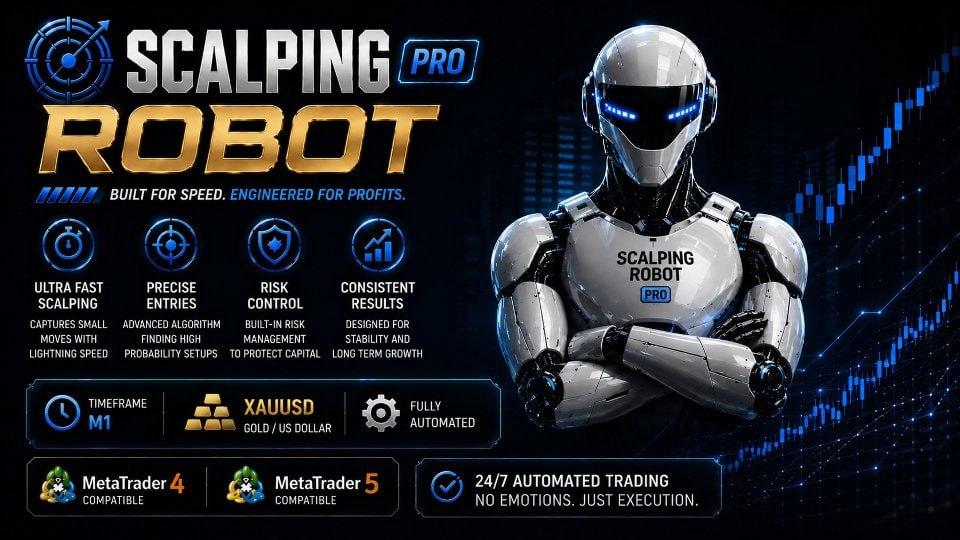
Classic Lunar Surfer MT5
Sign in to download
One-tap sign-in with Telegram, no email or password. After signing in we bring you back to this page.
Sign in with Telegram and downloadWhat you need to run it
- A broker account. We test every expert advisor in our monitoring on RoboForex — you can start with a free demo account. Open a RoboForex account. RoboForex also gives a free VPS with a balance from $300 and 3 lots traded per month.
- A VPS for the terminal. An expert advisor only trades while MetaTrader is open: with your computer off, trades are neither opened nor managed. A Forex VPS to keep the terminal running 24/7
These are partner links: if you open an account or order a VPS through them, we earn a commission.
Description and specifications
Information about the expert advisor and its source. Results claimed by authors, sellers or channels are not treated as verified by TradEApro; our own checks and their limitations are identified separately.
🌐 Classic Lunar Surfer MT5 Expert Advisor 👑
👉 More about the EA: https://www.mql5.com/en/market/product/204742
👉 Russian-language Market page: https://www.mql5.com/ru/market/product/204742
📊 Live monitoring: https://www.mql5.com/en/signals/2397588
⭐️ Classic Lunar Surfer MT5 is an automated expert advisor for trading gold (XAUUSD) in MetaTrader 5. It looks for calm market conditions when the gold price has moved away from equilibrium, opens a single position, and closes it when equilibrium is restored or the profit target is reached.
💎 Trading logic:
✅ Fully automated operation: identifies entry conditions, opens a trade, and manages it through to closure.
✅ Only one open position at a time. No grid, martingale, averaging, or lot size increases after a loss.
✅ Trades in calm conditions; the EA avoids new entries during sharp moves in gold.
✅ New trades are opened during specified hours: by default, from 01:02 to 23:58 server time, excluding the daily rollover period. An open position is protected by a stop loss (SL) around the clock.
✅ The trading logic is preset and requires no optimization. Users select the lot size, stop loss mode, news filter settings, and display options.
🛡 Trade exits and protection:
✅ Every position has a stop loss in place on the broker's server from the moment it opens. It remains active if the trading terminal or VPS disconnects.
✅ The adaptive stop loss is calculated for each trade based on current gold volatility and does not exceed 400 pips — a 40 USD change in the gold price. A fixed stop loss in pips can be used instead.
✅ A trade closes when its profit target is reached, or earlier when the move has run its course and part of the target profit can be locked in.
✅ An additional monetary protection mechanism provides a second layer of protection if the price jumps beyond the stop loss level.
🛡 News filter:
✅ Uses the built-in MetaTrader 5 economic calendar. No need to add URLs to WebRequest or configure additional access settings.
✅ Blocks new trades before and after high-impact USD and EUR news releases. Medium-impact news can also be included, and the pause duration before and after each release can be set in minutes.
✅ Three actions are available for a position open when the news pause begins: leave it open, close it if profitable, or close it regardless of the result.
✅ Upcoming releases are marked on the chart with thin vertical lines labeled with their names. The panel displays a countdown to the next news release.
✅ The economic calendar is unavailable in the MetaTrader 5 Strategy Tester, so the news filter works only on live accounts and demo accounts.
💎 Panel and chart appearance:
✅ A compact panel displays the EA's status, today's and all-time results, the open position, distance to the stop loss, the next news release, spread, and server time.
✅ An optional clean chart layout uses a muted candlestick color scheme. The original chart colors are restored when the EA is removed.
⚙️ Requirements and setup:
✅ Platform: MetaTrader 5. Supports hedging and netting accounts.
✅ Attach the EA to a single gold chart on any timeframe.
✅ Supports gold symbols with broker prefixes and suffixes, such as XAUUSD, XAUUSD.m, XAUUSDm, or GOLD.
✅ EURUSD must be available on the same account. The EA automatically adds it to Market Watch and uses its quotes as reference data. It does not open EURUSD trades.
⚙️ Position sizing:
✅ Lot mode: fixed lot size or a lot size that increases with each balance increment.
✅ Default lot size: 0,01.
✅ Default balance increment per lot step: 1 000; this parameter is used in stepped mode.
✅ Stepped calculation example: with 0,01 lots per 1 000 of balance, a balance of 1 999 gives a lot size of 0,01 lots, while 2 000 gives 0,02 lots. Lot size increases with the balance.
⚙️ Recommended operating conditions:
✅ An account with low spreads; Raw and ECN account types are suitable.
✅ Recommended starting balance: at least 1 000 USD per 0,01 lots.
✅ Recommended leverage: 1:100 or higher.
✅ Default trading hours are designed for GMT+2 and GMT+3 servers. For other time zones, shift the trading window so that daily rollover remains outside it.
✅ A VPS is recommended for continuous management of open trades.
⚙️ Testing:
✅ For the most accurate testing, use ‘Every tick based on real ticks’ mode.
✅ M1 OHLC mode is suitable for a quick preliminary assessment.
✅ Do not use ‘Open prices only’ mode.
Where this file comes from
We are not the developers of this expert advisor. Catalog files come from public sources, including Telegram channels and developers’ official repositories. See the description for this file’s source and redistribution terms. All rights to the program remain with its author.
Are you the copyright holder and want the file removed? Contact us — we remove it on the first request.
Screenshots (6)
Sign in to download
One-tap sign-in with Telegram, no email or password. After signing in we bring you back to this page.
Sign in with Telegram and downloadWhat you need to run it
- A broker account. We test every expert advisor in our monitoring on RoboForex — you can start with a free demo account. Open a RoboForex account. RoboForex also gives a free VPS with a balance from $300 and 3 lots traded per month.
- A VPS for the terminal. An expert advisor only trades while MetaTrader is open: with your computer off, trades are neither opened nor managed. A Forex VPS to keep the terminal running 24/7
These are partner links: if you open an account or order a VPS through them, we earn a commission.
Share:
How to use
1.Download the file
2.Open MetaTrader 4 or MetaTrader 5
3.Put .ex4/.ex5 files into the MQL4/Experts or MQL5/Experts
4.Restart the terminal and the file will appear in the Navigator
Frequently asked questions
How do I install an expert advisor in MetaTrader?
1. Download the expert advisor file (.ex4 or .ex5)
2. Open MetaTrader and go to File → Open Data Folder
3. Go to MQL4/Experts (for MT4) or MQL5/Experts (for MT5)
4. Copy the expert advisor file into that folder
5. Restart MetaTrader
6. The expert advisor will appear in Navigator → Expert Advisors
Why is the expert advisor not trading?
Check the following:
• The "Algo Trading" button is enabled (green)
• Trading is allowed in the expert advisor settings
• The terminal is connected to the broker server
• There are enough funds on the account
• The right symbol and timeframe are selected
Can I use it on a live account?
We recommend testing the expert advisor first:
1. In the strategy tester on historical data
2. On a demo account in real time for at least 1–2 weeks
3. Move to a live account only after successful tests
⚠️ Forex trading involves a risk of losing capital
The file does not open or shows an error
Possible reasons:
• .ex4 files are for MT4 only, .ex5 files are for MT5 only
• The file was damaged while downloading — try downloading it again
• MetaTrader is outdated — update the terminal
• If the file is in an archive (.zip, .rar), unpack it first
Loading reviews...